> For the complete documentation index, see [llms.txt](https://docs.informationhub.io/llms.txt). Markdown versions of documentation pages are available by appending `.md` to page URLs; this page is available as [Markdown](https://docs.informationhub.io/project/apps.md).
# Apps
Apps let you create shareable, public-facing views of your project data. Combine dashboards, forms, and wiki pages into a single app and share it with anyone using a public link.
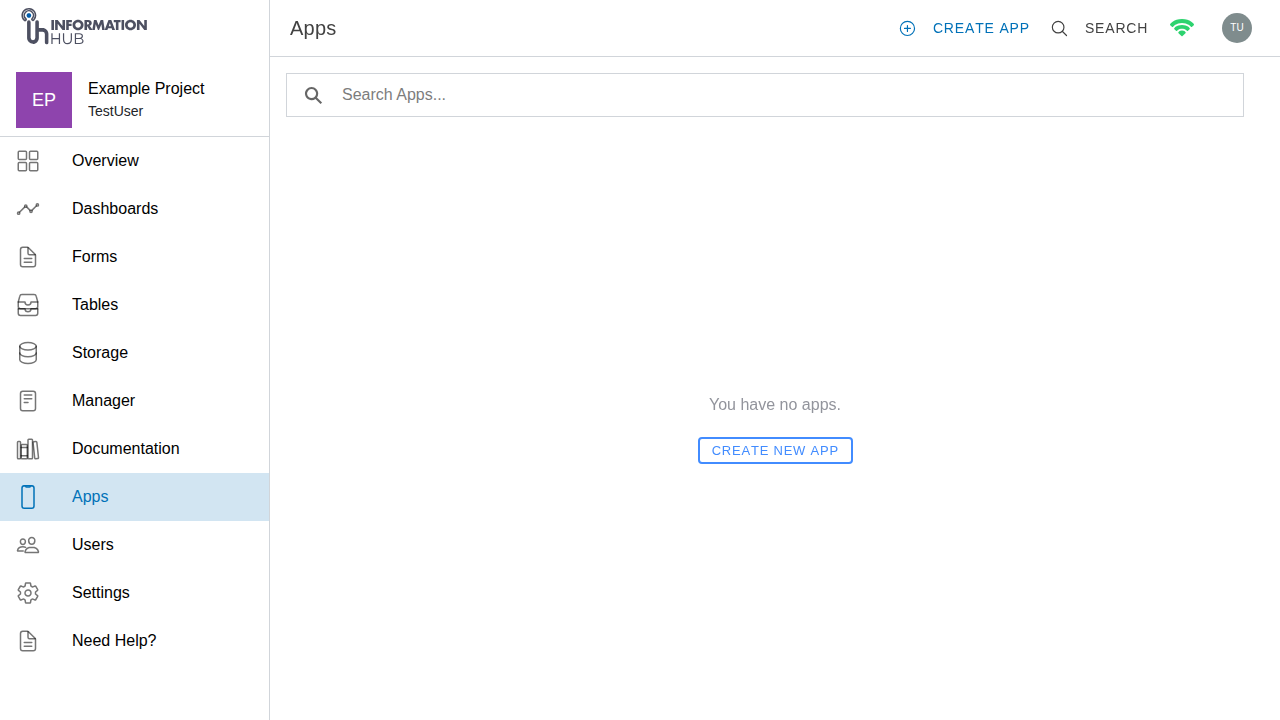
The apps page
## The apps list
The apps list shows all apps in your project. Use the **search bar** at the top to filter apps by name as you type.
Each app in the list has a three-dot options menu (**...**) with the following actions:
* **Share** - opens the app's public URL so you can copy and share it
* **Settings** - navigates to the app settings page
* **Delete** - permanently removes the app and its public link
## Create an app
1. Open the **Apps** module from the project sidebar.
2. Click the **Create App** button in the top-right toolbar.
3. Enter an **App Name** (3 to 64 characters).
4. Click **Create**.
Your new app opens in the app builder, ready for you to add pages.
## The app builder
The app builder shows the list of pages currently in your app. Each page links to a dashboard, form, or wiki page from your project.
The apps page
### Add a page
Pages are added by pasting in the shared link of a dashboard, form, or wiki page from your project.
1. Open your app from the apps list.
2. Click **Add Page** in the top-right toolbar.
3. Paste the shared link for the content you want to add. The link should be in the format `app.informationhub.io/dashboard/...`, `app.informationhub.io/form/...`, or `app.informationhub.io/wiki/...`.
4. Click **Add**.
The page is added to your app and is immediately accessible through the app's public link.
{% hint style="info" %}
To get a shared link for a dashboard, open the dashboard and click the **Share** button. Do the same for forms and wiki pages that have sharing enabled.
{% endhint %}
### Reorder or remove pages
1. Click the **Edit** toggle in the toolbar to enter edit mode. The button changes to a filled style when edit mode is active.
2. Drag pages up or down using the **drag handle** on the left of each row to reorder them.
3. Click the **trash icon** on a page row to remove that page from the app.
4. Click **Edit** again to exit edit mode.
### Share your app
Click the **Share** button in the toolbar to open a popover showing your app's public link. Click the **copy icon** to copy the link to your clipboard, then send it to your audience.
Viewers do not need an Information Hub account to access a public app.
### Navigate to settings
Click the **Settings** button in the toolbar to go to the app settings page.
## App settings
The app settings page lets you change the app name, control who can access it, and delete the app.
1. Open the **Apps** module from the project sidebar.
2. Click **...** next to an app and select **Settings**, or click **Settings** inside the app builder.
### Name
Enter a new name for your app and click **Save** to apply the change.
### Visibility
The **Visibility** setting controls who can open the app:
| Option | Who can access |
| ------------- | ----------------------------------------- |
| **Private** | Only project members with the link |
| **Public** | Anyone with the link - no login required |
| **Protected** | Requires a password or project membership |
Change the visibility and click **Save**.
{% hint style="info" %}
Use **Public** when you want to share results with external stakeholders, publish open data, or create a simple data portal. Use **Protected** if you need to restrict access to invited users.
{% endhint %}
### Delete an app
At the bottom of the app settings page, click **Delete** in the **Delete App** section. This permanently removes the app and its public link. The underlying dashboards, forms, and wiki pages are not affected.
{% hint style="warning" %}
Deleting an app cannot be undone. Anyone with the public link will no longer be able to access it.
{% endhint %}